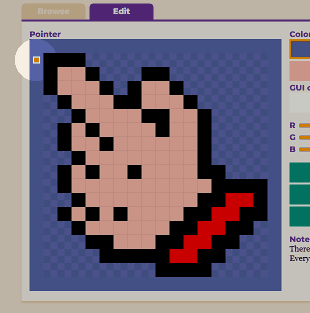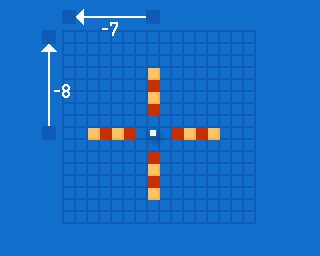


The “hot spot” determines where your mouse cursor is pointing, i. e. the exact pixel that is considered the active pixel. This isn’t necessarily the top left edge:

For a mouse pointer of 16×16 pixels, like the classic Amigas had, you could encode the hot spot as two bytes in the range of 0 to 15, with (0,0) being the upper left corner. The actual implementation takes a different route:
- The coordinates are negative – they specify how many pixels you have to shift the pointer up and to the left, relative to the active pixel, so that the hot spot overlaps exactly with the active pixel position.
- A hot spot in the upper left corner isn’t encoded as (0,0) as you might assume.
Why is that? Apparently, this is related to a bug in the MoveSprite library call.
******* graphics.library/MoveSprite *********************************
*
*   SYNOPSIS
*       MoveSprite(vp, sprite, x, y)
*                  A0  A1      D0 D1
*   BUGS
*       Sprites really appear one pixel to the left of the position
*       you specify. This bug affects the apparent display position
*       of the sprite on the screen, but does not affect the numeric
*       position relative to the viewport or view. This behaviour
*       only applies to SimpleSprites, not to ExtSprites.
This can be corrected by adding one to the hot spot’s x value:
| Pointer | Calculation |
|---|---|
 |
// hotspot_x = -7
// hotspot_y = -8
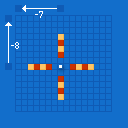
Hot spot coordinates as relative offsets: Take the active pixel position and add (-7,-8) |
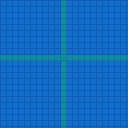 | // active_x = 10 // active_y = 9Example: Active pixel at (10,9) |
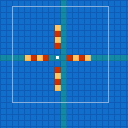 | // sprite_x = active_x + hotspot_x = 10 + (-7) = 3 // sprite_y = active_y + hotspot_y = 9 + (-8) = 1 MoveSprite(vp,pointer,3,1);MoveSprite bug in effect: one pixel to the left, at (2,1) |
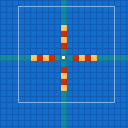 |
// sprite_x = active_x + hotspot_x = 10 + (-6) = 4
// sprite_y = active_y + hotspot_y =  9 + (-8) = 1

MoveSprite(vp,pointer,4,1);
Increasing hotspot_x by one: sprite position correct |
But… That’s not what’s happening in
devs/system-configuration, the 232 byte preferences file that
contains the colors and the mouse pointer image!
Take the classic default mouse pointer:
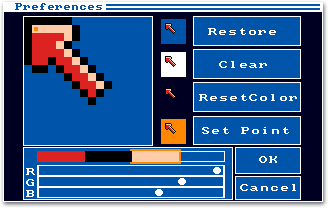
The selection pixel is at the second column in the second row – so (1,1) in “normal” coordinates, counting from the top left starting with zero. What would you expect the encoded hot spot coordinates to be?
- (-1,-1) if you just negate x and y,
- (0,-1) if you take the “1 pixel to the left” MoveSprite bug into account,
- but certainly not (-2,-1)!
And yet, that’s what is stored on disk:
; devs/system-configuration

00: 0800 0005 0000 0000 0001 86a0 0000 0000
10: 000c 3500 0000 0001 0007 a120 0000 0000
20: 0000 fc00 7c00 fe00 7c00 8600 7800 8c00  bitmap
30: 7c00 8600 6e00 9300 0700 6980 0380 04c0
40: 01c0 0260 0080 0140 0000 0080 0000 0000
50: 0000 0000 0000 0000 0000 0000 0000 0000
60: 0000 0000 feff 0d22 0000 0fca 0002 005a   x=-2   y=-1  colors
70: 0fff 0002 0f80 0000 0081 002c 0000 0000                colors
80: 6765 6e65 7269 6300 0000 0000 0000 0000
90: 0000 0000 0000 0000 0000 0000 0000 0000
a0: 0000 0000 0005 004b 0000 0000 0001 0002
b0: 0020 0042 0000 0000 0000 0000 0000 0000
c0: 0000 0000 0000 0000 0000 0000 0000 0000
d0: 0000 0000 0000 0000 0000 0000 0000 0000
e0: 0000 0000 0000 0000
Instead of adding 1 to the x coordinate, 1 is substracted! What?!
There’s more: Prior to Workbench release 1.2, the preferences tool did store this hot spot as (-1,-1)!
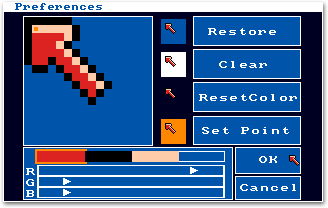
; devs/system-configuration

...
50: 0000 0000 0000 0000 0000 0000 0000 0000
60: 0000 0000 ffff 0d22 0000 0fca 0001 005a   x=-1   y=-1
70: 0fff 0002 0f80 0000 0081 002c 0000 0007
...
At least the graphics/sprite rendering in the ROM hasn’t changed. If you take this pointer in the old file format, i. e. with (-1,-1) as the hot spot, and move it into the upper left corner, only the black border on the top will disappear (correct), but the black border on the left will remain visible (incorrect).
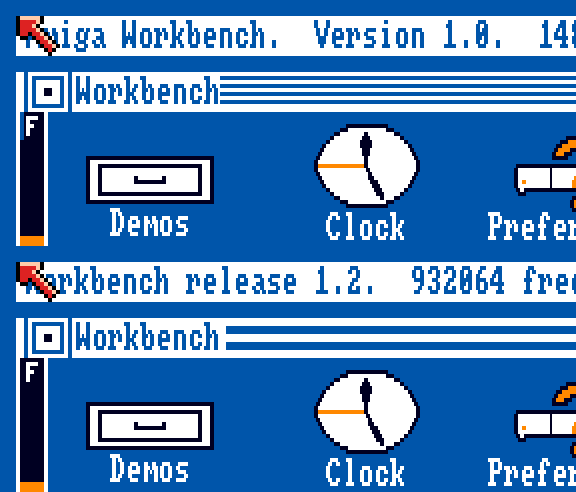
Still, it’s a mess! And the
AmigaOS source code reflects it, too. There are constants like SPRITEERROR=-1 used in various places, and code
comments like “oh, we need to compensate for that old off-by-one bug”.
No wonder things got confusing. Maybe there’s an overcompensation for the MoveSprite bug somewhere? Or a sign flip? That could explain why preferences adds -1 to x instead of +1. Regardless of the exact origin story of the hot spot origin –
Does it matter? Umm, yes. Totally! :) It has some funny implications:
- Hot spot coordinates “in the wild” have
- 16 different values for y (0 to -15) and
- 17 different values for x (0 to -16).
- There are mouse pointers with a hot spot outside of the actual mouse pointer!
You can edit
system-configurationin a hex editor and create a mouse pointer that cannot be moved near the upper left corner, no matter how hard you shove that mouse: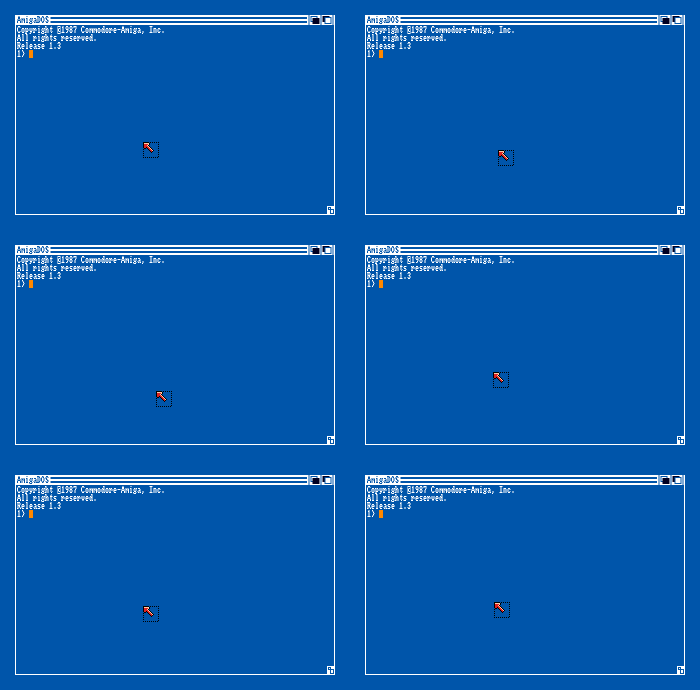 Pointer with (0x7F,0x7F) as hot spot
 - When you open a (0,0) pointer in the new preferences tool, you
can cause it to glitch out a bit when changing the hot spot.
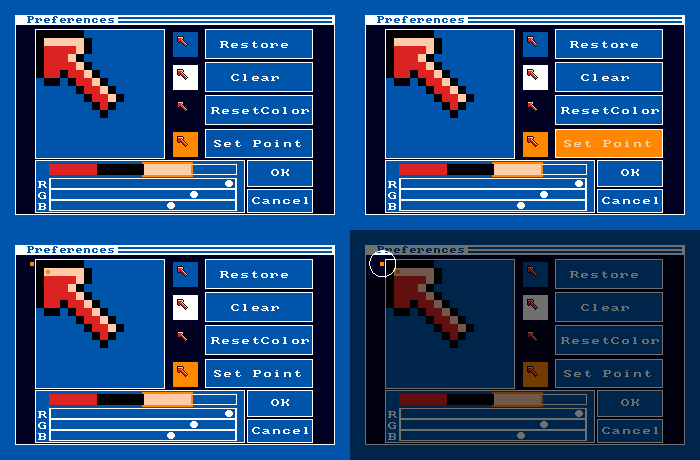
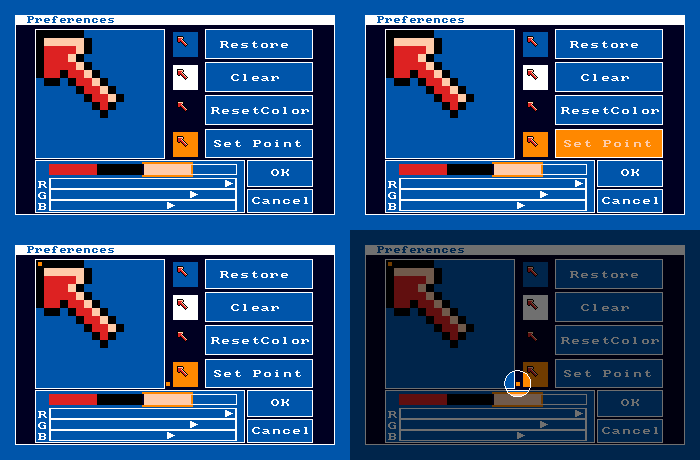
- Same when you open
a (-16,-15) pointer in the old editor.
Well, I’m out of fun facts to squeeze out of this, and I haven’t even used the “What’s the point?” pun yet. :) Anyway, enjoy your bootable Amiga disk with an unusable mouse pointer that will drive you mad – or your loved ones:

PS: I stumbled upon this when I was writing a pointer editor of my own. It has a similar bug to the original preferences editors! Of course I’ll leave that in…