


Over on the /de Subreddit, German game developer Volker Wertich is doing an AmA (in German) and mentioned some early games he worked on, including Kingsoft’s 1987 Boulder Dash adaption Emerald Mine. Oh, the memories! I quickly fired it up in WinUAE to listen to the iconic title song that has been burned into my memory since I was nine years old. Nostalgia took over and I played through the first level, reminiscing about the subsequent highscore screen that totally blew me away as a kid – all those colors, the cool font with that 3D effect, the parallax scrolling!
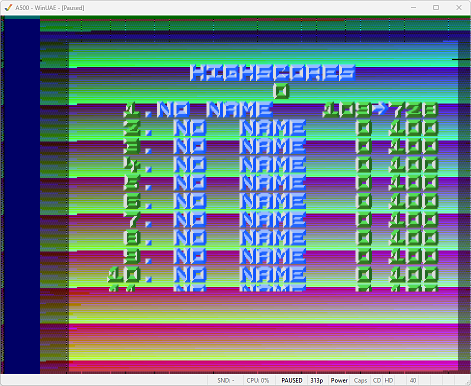
I noticed some subtle flickering on the left edge of the screen. What’s up with that? Surely they are using a Copper list for the background colors, why would it flicker? If there’s one thing the Copper can do well, it’s changing colors at exact, stable screen positions.
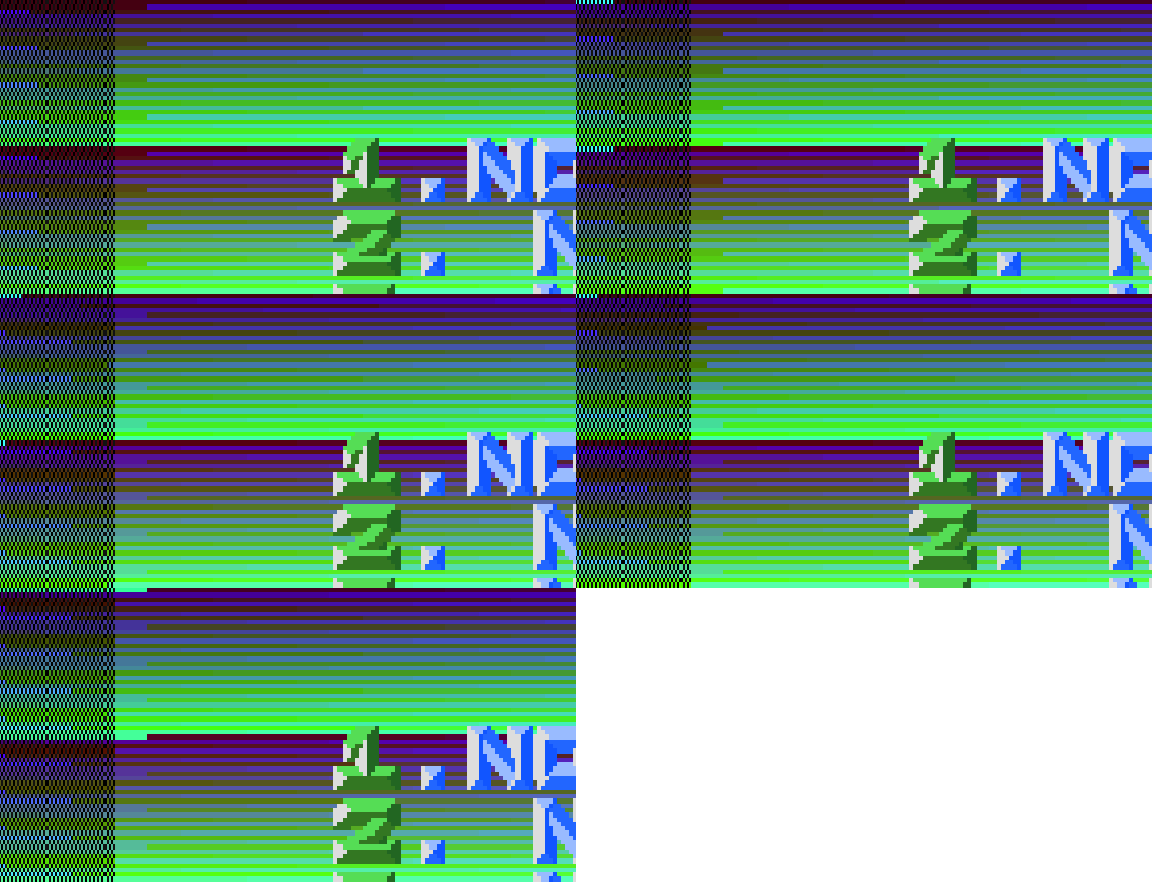
You may have guessed it: Turns out they’re not using the Copper at all! Instead, the background color is changed in a tight CPU loop that reads out the current screen position and changes the background color on the fly. That’s where the flickering comes from!
; disassembled from $15b6a on

.setup
        move.l  #$dff006,a4     ; VHPOSR
        move.l  #$dff004,a5     ; VPOSR
        move.l  #$dff180,a6     ; COLOR00
        ...
.loop
        move.l  (a5),d0         ; VPOSR VHPOSR
        ...                     ; mangle up d0
        move.w  d0,(a6)         ; set background (COLOR00)
        cmp.b   (a4),d5         ; compare screen position
        bne.b   .loop
        ...
Then again, it does something the Copper cannot do: Reading the screen position and turning it into color bars without requiring any extra memory, all while supporting a vertical scroll effect. Quite clever, actually, and a cool feat for 1987!
I just found it funny that I was busy using the Copper instead of the CPU (see the post before), and then I randomly stumble upon this ancient piece of code that uses the CPU instead of the Copper. :)


