




I saw a video of a guy on TikTok walking around a local street food event, highlighting all the food stands not using AI for their menus and logos. Because everyone hates this kind of poster slop by now:
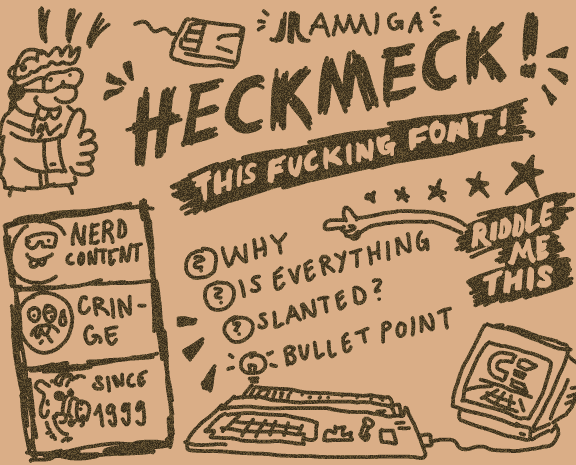
I wondered: Were there many false negatives – AI signage that went unnoticed? Maybe by perfectly imitating the classic amateur layouts, set in Comic Sans and rainbow colors. A funny way to burn your costly tokens! (Prompt: “Make it not look like AI!” – AI: “Sure thing, here’s some WordArt for you!”)
Or the other way around: Are there false positives? Honest, human-made bad designs that just happen to look like machine-made bad designs? Maybe not 100% by accident, but by subconscious priming: You start cobbling together something that feels familiar. Unnoticed, you align your work with all the other designs you’ve seen – but many of those come from the evil slop tools, and yours ends up looking very much alike.
That’s exactly what happened to me thirty years ago!
Here’s a little intro from 1995. Back then, I was an aspiring Amiga coder, but a noob at that.
I had mostly learned assembly from magazines and
source code snippets traded on the schoolyard and by mail. Not e-mail, of course – snail mail,
with contacts we got from
special magazines
full of classifieds for warez computer enthusiasts.
It was lame, but I was proud of my own little routines. I think it wasn’t made all at once for this specific intro, but I do remember it was a really slow process to figure out the Copper list, the screen and font layout in memory, the blitter setup for the scrollers, the blitter setup to draw new letters… you get the idea. Basic stuff, but it was all written by myself!
Yet, no one would believe me – and understandably so. Not because there was any unbelievable code involved, but because it accidentally looked like it was made with the most hated tool of the era: RSI Demomaker!
RSI Demomaker allowed lamers anyone to make demos, like so:
Hard to deny the resemblence. Not only the screen layout – scroll text, main thing, scroll text – but also those damn color strips! What was I thinking?
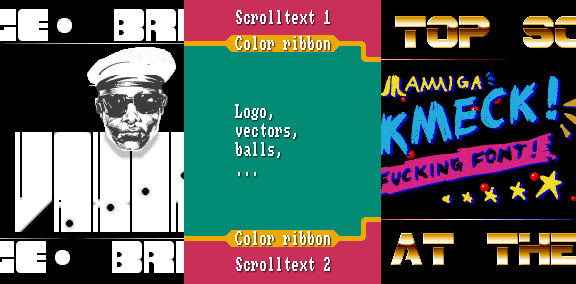
It didn’t matter if I pointed out that my main area was a bit larger, or that RSI Demomaker didn’t support little picture changes like the bullet holes in my intro. “Demomaker! Lame!” was the verdict.
Well, okay. In hindsight, it was less hurtfurl than: “You worked hard for that and it still looks like Demomaker? Lame!” :)
PS: At least nobody questioned the graphics, handmade by my brother. The head might had some assistance from a hand scanner, though. Still digging that font!
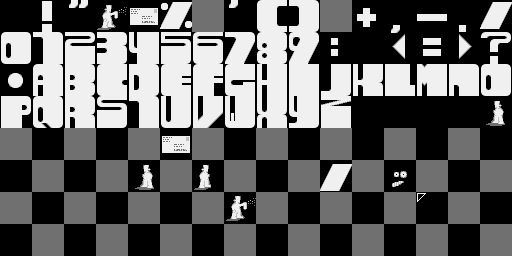
The playback routine and the music were ripped (ProTracker2.2a replay routine by Crayon/Noxious and MADNESS2-PARTC by 4mat, respectively – sorry for mutilating it for the “gunshots”).

